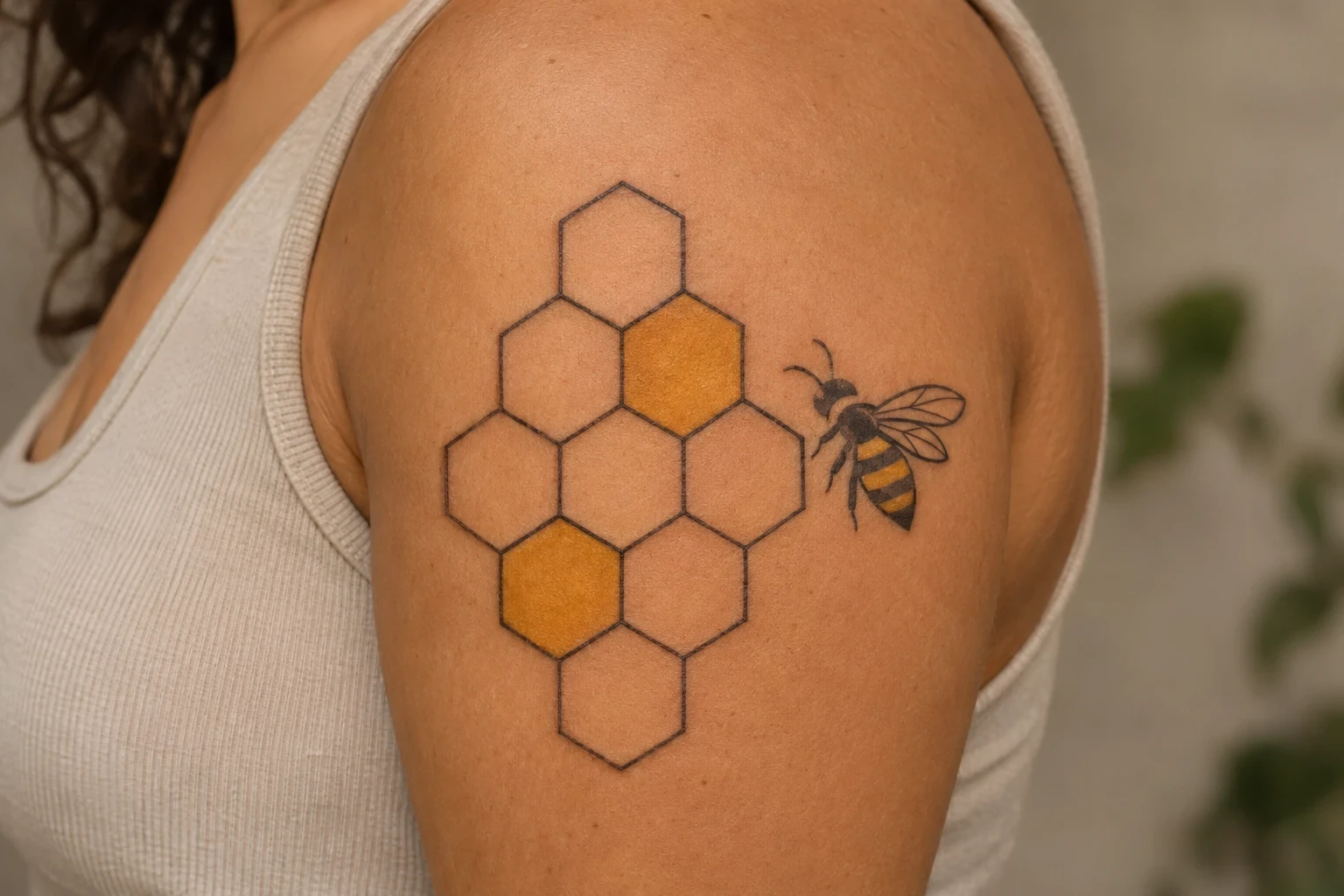
A honeycomb tattoo starts with a simple choice: how much of the pattern do you want to see? A few open cells can sit lightly on a wrist. A larger panel can follow the shoulder, hold a flower, or mix dark cells with bare skin. The design changes most when you vary the outline and the space between details, rather than adding more objects.
Honeybees build wax comb with hexagonal cells, as described in the Smithsonian National Museum of Natural History’s Insect Zoo guide. These tattoo concepts borrow the six-sided pattern; they aren’t technical drawings of a hive.
The 24 ideas below are AI-generated tattoo mockups on fictional adults. Compare the shapes and placements, then ask your artist to show the stencil on your own skin and share healed examples of their geometric linework.
1. Tiny three-cell cluster
Three open cells make a compact shape without hiding the honeycomb structure. Try the stencil in both directions on the wrist and check how its corners sit beside the wrist crease.
2. Vertical honeycomb strip
A vertical strip follows the length of the forearm. Leave enough width for each cell to read on its own rather than narrowing the entire pattern to fit a tiny space.
3. Amber-filled cells
Amber fill gives selected cells the focus. Keeping some interiors bare lets the eye move between color and open skin instead of seeing one solid patch.
4. Bee at the edge
A bee at the edge turns the pattern into a small scene. Keep the insect’s silhouette separate from the cell borders, especially around the wings and legs.
5. Honeycomb with a daisy
The daisy breaks up the lattice with rounded petals. Give the flower enough room that its petal tips don’t look like extra corners in the cells behind it.
6. Solid and open cells
Alternating dark and open cells creates a bolder graphic piece. Ask the artist to show the balance in a filled sketch, not just an outline stencil.
7. Dotwork in the cells
Dots can add depth while keeping the pattern lighter than solid shading. Keep the darkest stippling inside the cells so the shared borders remain clean.
8. Honeycomb armband
A two-row band has a strong horizontal rhythm. Try the stencil with your arm relaxed and bent so you can choose where the join or open end should sit.
9. Heart-shaped honeycomb patch
A heart-shaped outer silhouette changes how a viewer reads the pattern. The cells still need a regular rhythm inside; simplify the edge rather than forcing tiny cells into the point.
10. Honeycomb and fern
A fern gives the geometry a softer neighbor. Leave a small gap between leaflets and cell corners so the two outlines don’t tangle together.
11. Amber comb with a honey drop
A single honey drop makes an amber patch feel more literal. One clear drop is easier to read than many small drips competing along the lower edge.
12. Honeycomb wrist cuff
A short cuff gives the pattern more width near the wrist. Keep its open cells broad and check how the lower edge sits when you bend your hand.
13. Crescent of honeycomb
A curved patch can wrap a rounded placement without becoming a full band. Compare the silhouette from a few steps back before adding any shading.
14. Mountain inside a honeycomb window
A central landscape gives one cell a different role. Keep the mountains simple, and leave the neighboring cells open so the small scene has some breathing room.
15. Honeycomb with a sunflower
A dark flower center anchors the honeycomb behind it. If the piece gets smaller, preserve the sunflower silhouette before keeping every line inside the cells.
16. Open cell in a dark patch
One open cell becomes the focal point inside a dark patch. Make sure it stays large enough to read as a deliberate hexagon rather than an accidental gap.
17. Bee flight trail and two cells
A short flight path links the bee to the cells without adding a border. Keep the dashes sparse and away from the wing outlines.
18. Honeycomb with a leafy sprig
A leafy sprig can lead the eye along a geometric patch. Pick which side should carry the leaves and avoid putting a leaf tip into every open cell.
19. Cool blue cell accents
Cool blue is a decorative alternative to honey-colored fill. Use a few spaced accents if you want the lattice to remain the main subject.
20. Honeycomb corner frame
A corner arrangement can frame open skin or a future focal point. Decide whether the empty middle is part of the finished design before planning another image there.
21. Honeycomb fading into dots
Reducing the number of complete cells toward one end makes the patch feel lighter. Keep the dots intentional and separate from the last cell corners.
22. Rose inside a hexagonal frame
A large hexagon gives a rose a clear frame. The smaller adjoining cells can stay simple, so the flower carries the detail.
23. Honeycomb shoulder panel
A shoulder panel needs to be fitted as a pattern, not placed like a flat sticker. Ask the artist to show the rows across the cap and down the arm before filling any cells.
24. Offset honeycomb outline
An offset cluster gives a small piece an uneven, open edge. Keep the cell sizes consistent even when the outside shape is deliberately asymmetrical.
Plan the pattern on your skin
Look at the stencil with your limb relaxed, then turn it slowly. A pattern can look straight in a flat drawing and change as it wraps a shoulder or forearm. Decide which side you want to be the main view before the artist adjusts the rows.
Open cells need room between the lines. For a small piece, compare a version with fewer, larger cells against one with many tiny cells. If you are adding a flower, bee or landscape, choose which part should be readable first and give it the most space.
For more insect-led compositions, see our bee tattoo designs. Compare larger repeating patterns in our geometric tattoo designs and smaller open shapes in our minimalist tattoo ideas.
Common questions
What can a honeycomb tattoo mean?
It might express an interest in bees, a connection to a garden or place, or a personal idea about cooperation and building something over time. It can also be chosen for the pattern alone. Those are possible interpretations, not a fixed meaning for everyone who wears it.
Does a honeycomb tattoo need a bee?
No. The connected six-sided cells carry the visual reference on their own. Add a bee if you want the insect to be part of the subject, rather than adding one simply to explain the pattern.
Can a honeycomb tattoo be small?
A short cluster is a good starting point to discuss. Ask your artist how large the cells should be for the line weight you want, and look at healed small geometric work before choosing a size.
Can I add to it later?
You can plan a design with open edges, but don’t assume a new section will automatically match. Save the original drawing and discuss the direction of future rows, spacing and line weight with the artist. A finished small cluster is also a complete design on its own.