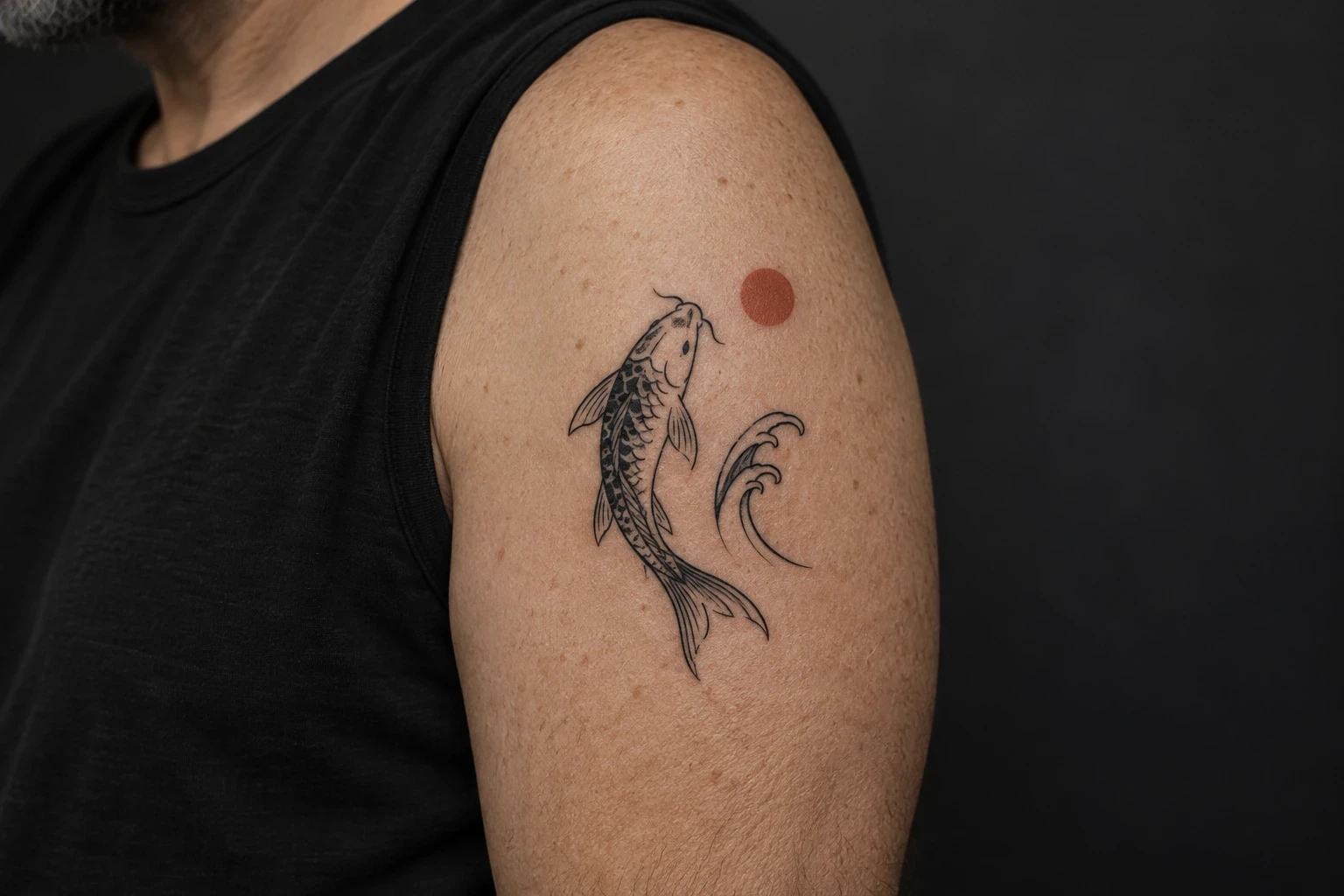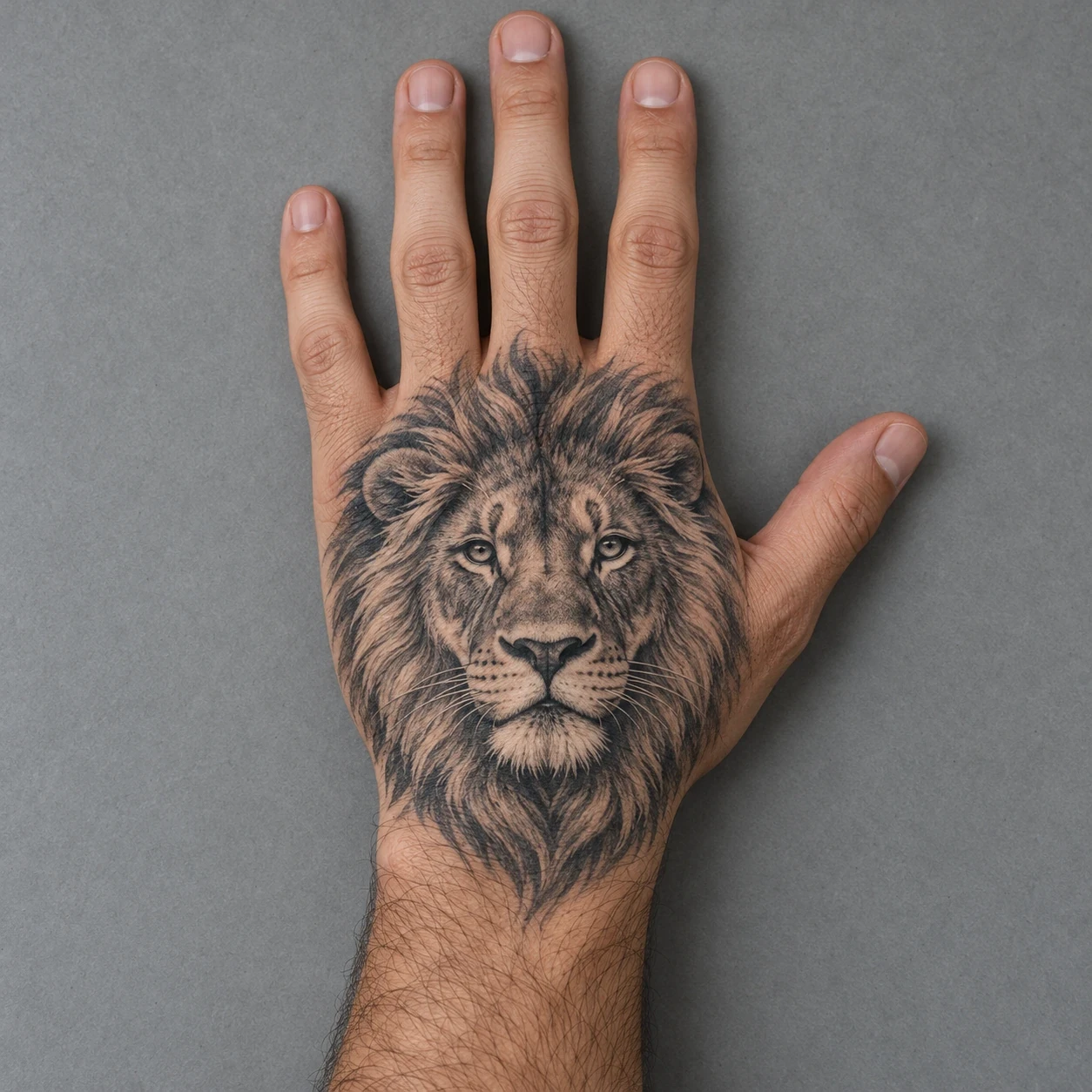
Hand lion tattoo ideas work best as a clear drawing planned for the shape of the hand, rather than a detailed portrait simply shrunk from a larger placement. Start with the face, the width of the mane and where you want the design to stop near the wrist and knuckles.
These 16 concepts compare portraits, graphic styles and simple supporting elements. They focus on the back of the hand. Finger and palm tattoos are separate placement decisions, and adding them is not necessary to complete a lion design.
Image disclosure: Every image is AI-generated. The hero is a generated placement mockup; the 16 design illustrations are paper-style references, not real or healed client tattoos or fitted stencils. An artist needs to redraw and size the chosen concept for your individual hand.
Choose the outline before the detail
Mark the area you want covered before choosing tiny fur marks, flowers or a crown. A rounded portrait, an asymmetric profile and a taller framed head need different boundaries. The face should remain the main subject even after the drawing is simplified for the available space.
Compare our broader lion tattoo ideas if the placement is still undecided. For a hand piece, ask the artist to show the design at its proposed size and explain which details they would remove. A large screen illustration cannot establish a minimum size for your tattoo.
| Design direction | Main feature | Fitting question |
|---|---|---|
| Front-facing portrait | Balanced face and mane | Where should the eyes sit on the hand? |
| Profile | Muzzle and one visible eye | Which way should the lion face? |
| Graphic blackwork | Dark shapes and open gaps | Which gaps must stay clearly separated? |
| Framed portrait | Face plus crown, flower or border | Does the whole outline fit without crowding? |
1. A centered black-and-grey portrait
A forward-facing lion gives the design a clear center. The eyes, nose and muzzle form one balanced face, while the rounded mane supplies the outer shape. This is a useful starting point when you want the animal itself to carry the whole piece.
Ask the artist where the eyes should sit relative to your knuckles and how the lower mane should end near the wrist. Keep the facial features readable before adding fine hair texture. A compact outline matters more than retaining every strand from the reference.
2. A compact side profile
A side view replaces symmetry with a directional outline. The muzzle points outward from the mane, and one visible eye becomes the main detail. This can be worth comparing with a front view if you prefer an asymmetric drawing.
Test both directions on a photograph of your hand. The nose needs room inside the boundary you want, rather than being pushed toward a finger or the thumb simply to fit. Ask the artist which parts of the mane they would shorten to keep the profile contained.
3. A three-quarter portrait
This angle shows more depth than a strict profile while keeping both sides of the face visible. The nearer cheek and fuller side of the mane create an uneven outer shape. The expression can remain calm without the head looking perfectly straight ahead.
Check the far eye, nose and muzzle together before approving the drawing. They should belong to one coherent view. Ask the artist to show how the asymmetry fits your hand rather than centering the drawing only by the widest part of the mane.
4. A roaring lion
The open mouth gives this portrait a more forceful expression. Dark space inside the mouth contrasts with the lighter muzzle and teeth, while the mane frames the jaw. The mouth becomes a major part of the design rather than a small accent.
Review the upper and lower jaw before looking at fur texture. At the proposed hand size, the teeth and mouth edges need deliberate spacing. If those details crowd one another, ask for a simpler expression or a revised drawing instead of forcing the full illustration into the space.
5. A geometric lion face
Angular lines and dark facets describe the face and mane. The main shapes are more graphic than a shaded portrait, but the animal remains recognizable through its eyes, nose and cheeks. Open areas keep the triangles from becoming one dense pattern.
Ask the artist which lines define the lion and which can be removed. On the hand, a frame full of small facets may compete with the face. Our geometric lion designs offer a wider comparison if this drawing language appeals to you.
6. A split realism-and-geometry design
One half uses grey shading and fur, while the other uses angular linework. The halves meet at a single nose and muzzle. That shared structure is what makes the two textures read as one lion instead of two separate portraits.
Compare eye level and cheek width across the division. Ask the artist to resolve the face first, then simplify either half as needed for the hand. The split does not have to carry a fixed meaning; it can simply be a visual choice you enjoy.
7. Bold blackwork with open gaps
Broad black shapes and open channels form the mane and facial divisions. This version uses the silhouette instead of many fine hair marks. The light gaps around the eyes and muzzle are part of the drawing, not unfinished areas to fill later.
Discuss the amount of black coverage before refining the outline. Ask the artist to show the untouched spaces clearly and check whether the lion still reads when viewed from farther away. Keep the face distinct from the dark mane rather than relying only on a dramatic outer edge.
8. A dotwork portrait
Stippled dots create the darker and lighter sections of the face. The outer mane remains comparatively open, giving the head a different texture from smooth grey shading. It is a useful alternative to compare if you prefer visible marks to a continuous tonal wash.
Ask to see healed dotwork at a comparable scale in the artist’s portfolio. Decide which areas need texture and which can stay simpler. Do not assume that a detailed field of dots in a large reference will translate unchanged to a smaller hand drawing.
9. An open-outline lion
Broken contours suggest the mane, while a few stronger marks describe the eyes, nose and mouth. Much of the drawing stays open. This is a deliberate simplification rather than an incomplete realism portrait waiting for shading.
Ask the artist to choose line weight and spacing for the actual placement. Keep enough of the muzzle and outer mane to identify the subject without adding every possible contour. If you want a smaller footprint, simplify the drawing first rather than reducing all its lines together.
10. A lion with a plain crown
A simple crown adds height above the portrait. Its three main points create a second silhouette without many small jewels or decorations. The lion’s face remains the larger subject below it.
Include the crown when testing the full outline on your hand. It may change where the forehead or lower mane can sit. Explain what the crown means to you, if anything, and avoid adding detail merely because the reference has room for it on paper.
11. A portrait above one rose
The rose gives the lower composition a rounded focal point. Petals and leaves contrast with the lion’s hair, while a shared black-and-grey palette keeps the elements connected. One bloom is enough to make the design more than a standalone head.
The flower increases the total footprint, so ask whether it belongs on the hand, toward the wrist or in a revised layout. Decide which subject should dominate. Keep the rose’s outer petals distinct from the mane instead of allowing both outlines to merge into one dark edge.
12. A lion with a leafy frame
Two curved branches create an open border around the head. The leaves sit outside the mane rather than crossing the face. Their shape makes the design wider, with a lighter frame than a solid geometric panel.
Check the entire leaf-tip width against your chosen boundary. Ask which leaves can be omitted if the frame feels cramped. This is a generic decorative arrangement; it does not need a universal meaning or a claim to an official emblem to be a valid personal choice.
13. An open diamond frame
The diamond gives the portrait a defined top, bottom and side boundary. The mane overlaps parts of the outline, leaving the corners visible. That contrast combines a soft animal shape with a much simpler geometric edge.
Ask where the lower corner should finish before positioning the face. A tall frame can extend farther toward the wrist than the portrait alone. Review the gap between the frame and mane, and remove near-touching lines that make the border difficult to follow.
14. A portrait with short ray accents
Spaced rays add emphasis around the mane without a solid background. The face remains the central subject, with the rays acting as separate decorative marks. The design can feel more complete without introducing another object.
Agree on how many accents the hand layout needs. They should not accidentally become finger extensions or crowd the wrist boundary. The marks are decorative here, not a claim about a religious image or a fixed symbolic interpretation.
15. A bold colour lion
Gold and rust feather-like mane shapes use dark outlines to separate the colour areas. Green accents provide a restrained contrast. This is a stylized approach rather than an attempt to reproduce every natural hair in a lion’s coat.
Compare the outline before choosing the final palette, then review the artist’s healed colour work. Gold refers to the warm ochre colour in the concept, not reflective metallic ink. Ask how the colours would be adapted for your skin tone and the artist’s own drawing style.
16. Light shapes against dark panels
Light facial forms and mane channels stand out against broken black background sections. The panels create an outer boundary while the open areas describe the lion. This gives a different balance from blackwork where the animal itself supplies most of the dark shapes.
Treat the light paper as a guide to reserved skin, not a promise that white ink will look like the illustration. Ask the artist to show the planned black areas and open gaps separately. Decide whether that level of coverage suits your hand before adding any background.
Fit the drawing to the hand you will wear it on
Bring a straight-on photograph with your hand relaxed and explain where you want the tattoo to stop. Include existing wrist or forearm work in the reference. Ask the artist to check the stencil on your actual hand rather than approving the placement from a close-up of the lion’s face.
Decide the viewing direction
Some people prefer the forehead toward the knuckles and the lower mane toward the wrist, as in the hero mockup. Others want to compare another orientation. Review it with your arm resting naturally and decide which view matters most to you before the stencil is finalized.
Keep finger and wrist extensions intentional
A complete lion does not need to cover the fingers. If you do want an extension, make it part of the brief and discuss how it connects to the main drawing. Do the same at the wrist: a clean ending, a soft taper and a link to forearm work are different choices.
Review the drawing as the hand moves
Ask the artist to check the placement with your hand relaxed and gently moving. The generated hero shows one pose, not a proof that the same arrangement fits everyone. A crown, rose or tall frame may need more substantial changes than a plain head.
For other subjects in the same placement, compare our hand tattoo ideas. If keeping a more detailed mane matters more than the hand placement, a larger composition such as these back lion tattoo concepts offers a different brief.
What to settle before booking
Hand tattoos are a visible placement. Think through whether you are comfortable with that visibility in your work and everyday life, and check any actual rules that apply to you rather than assuming everyone has the same circumstances. Discuss the decision and the studio’s approach to hand work directly with the artist.
Ask for healed examples of comparable hand tattoos, not only fresh photographs. Discuss which lines and gaps they consider workable, how they would simplify your reference, and what their touch-up policy covers. No image in this collection can predict your result or establish a fixed fading rate.
Get a quote for the final drawing and placement, including the studio’s appointment and deposit terms. Pain, appointment length and price cannot be determined from one generated concept. Ask the artist what to expect for your actual plan without treating a universal score or invented session count as a fact.
If the lion represents confidence, family or a personal milestone to you, explain that in your own words. The design does not have to carry a meaning shared by everyone. If you intend a specific heraldic, religious or cultural emblem, bring a reliable reference rather than assuming a generic lion is an accurate version of it.
Plan care around the actual tattoo
Tell the artist about work, gloves and other activities involving your hands so you can discuss practical arrangements and written aftercare instructions. For individual health or skin concerns, ask a doctor or dermatologist. A design gallery cannot decide whether tattooing is suitable for you or assess a skin reaction.
For healed tattooed skin, the American Academy of Dermatology recommends broad-spectrum, water-resistant SPF 30 or higher before going outside, reapplied at least every two hours when exposed to the sun. It notes that UV light can fade some tattoo inks. Follow the artist’s instructions for a fresh tattoo rather than substituting healed-skin guidance.
The AAD recommends seeing a dermatologist for a reaction or a change in tattooed skin. Source checked 20 October 2026. These illustrations do not show healing stages, diagnose problems or promise a particular long-term appearance.
Hand lion tattoo questions
Can a lion hand tattoo be simple?
Yes. The outline and graphic blackwork concepts show different ways to simplify the face and mane. Ask the artist which features need to stay and how much space the proposed drawing requires. Simple does not automatically mean tiny.
Should a lion on the hand face me or face outward?
Compare the directions on your own hand and decide which viewing position you prefer. Include the wrist boundary and any nearby work when reviewing the stencil. There is no single orientation required for every design.
Can I add a crown or a rose?
Those additions change the whole outline, not just the meaning. Test the complete drawing at its proposed size. If it crowds the hand, simplify the supporting element, change its position or choose a plainer portrait.
Will the artist copy the generated drawing?
Use it as a reference for an original fitted design. Ask the artist to redraw the face, adjust the mane and remove details that do not suit the available space. These images are not ready-to-transfer stencils.
What should I take to the consultation?
Bring a few references labelled with what you like, a photograph of your hand and nearby tattoos, and a clear idea of your preferred boundary. Include practical questions about visibility, care, cost and studio policy so the design decision is made with the appointment plan.